Showing posts with label bugs. Show all posts
Thursday, June 2, 2011
Friday, December 10, 2010
Absolute colorimetric intent
Kai-Uwe Behrmann has found a nasty bug in 2.1 on absolute colorimetric intent when display profiles are involved. :-( The issue is solved in GIT, but not in the 2.1 distribution. Too bad. Well, It is not so terrible because it only affects the combination of abs. colorimetric and display profiles, but anyway ...
The specs on ICC V4 are pretty messed out when regarding to absolute colorimetric intent. There is now something called "ICC absolute", which is same that relative on display profiles and preserves paper white on output profiles. Basically the observer is assumed to be fully adapted to whatever illuminant being used to create the profile, this has severe implications on monitor profiles, and no effect on printer profiles measured under D50. So right now we have the v2 absolute, wich says nothing about the observer adaptation state and v4 absolute which assumes full adaptation.
I tried to do my best in supporting all modes (v2 and v4) by implementing what the white paper below describes, a knob to adjust the degree of chromatic adaptation, a feature that may be useful for match-to-screen applications. See cmsSetAdaptationState() on the manuals.
http://www.color.org/ICC_white_paper_6_v2_and_v4_display_profile_differences.pdf
Many thanks Kai-Uwe for catching the bug!
The specs on ICC V4 are pretty messed out when regarding to absolute colorimetric intent. There is now something called "ICC absolute", which is same that relative on display profiles and preserves paper white on output profiles. Basically the observer is assumed to be fully adapted to whatever illuminant being used to create the profile, this has severe implications on monitor profiles, and no effect on printer profiles measured under D50. So right now we have the v2 absolute, wich says nothing about the observer adaptation state and v4 absolute which assumes full adaptation.
I tried to do my best in supporting all modes (v2 and v4) by implementing what the white paper below describes, a knob to adjust the degree of chromatic adaptation, a feature that may be useful for match-to-screen applications. See cmsSetAdaptationState() on the manuals.
http://www.color.org/ICC_white_paper_6_v2_and_v4_display_profile_differences.pdf
Many thanks Kai-Uwe for catching the bug!
Saturday, September 18, 2010
2.1 schedule
It has been a long time since I posted the first littlecms 2 release. To my astonishment it has been reasonably stable and reliable. Sure, there have been bugs, any software has bugs, that is a fact that software developers already knows very well. But I have not been forced to do a quick release due to a killer bug, so I am happy on how is going all that lcms2 stuff.
Since the old days of lcms1.0, a fresh release of the engine has been available each 6 months, more or less. So now it is time to prepare the coming of 2.1. I plan to do it on November-2010. Then, I am presenting a paper on CIC18 which relates with lcms2 and its unbounded mode, so the new release would be available at that time. This will be a maintenance release, with the addition of Delphi wrapper, the Matlab wrapper and some minor tweaks. BTW, this is already on the git, the release woould only qualify this code and mark it as in the "stable side".
If anybody is interested, I will be also giving a talk in ICC DevCon, this time about on how to build a minimal V2 compliant ICC engine. I will be glad to discuss any questions you have, or just have a beer with you!
Since the old days of lcms1.0, a fresh release of the engine has been available each 6 months, more or less. So now it is time to prepare the coming of 2.1. I plan to do it on November-2010. Then, I am presenting a paper on CIC18 which relates with lcms2 and its unbounded mode, so the new release would be available at that time. This will be a maintenance release, with the addition of Delphi wrapper, the Matlab wrapper and some minor tweaks. BTW, this is already on the git, the release woould only qualify this code and mark it as in the "stable side".
If anybody is interested, I will be also giving a talk in ICC DevCon, this time about on how to build a minimal V2 compliant ICC engine. I will be glad to discuss any questions you have, or just have a beer with you!
Saturday, May 29, 2010
Web color management
Please take a look to this small toy I've been working on:
What do you read? Ok, maybe you can read dark text as well, but I mean the brighter one.
If you have access to different web browsers, give a try to Internet explorer, Safari and Firefox for example.
I was suspicious about Firefox from a while ago, now that has confirmed my theory. Oh, you can save the JPEG file and open it with photoshop to see the "good" result if you care. hint: Little CMS also works as expected. I will go deeper on this stuff in incoming posts.
Saturday, May 22, 2010
Interpolation wars
15 days after the release, one issue in the packaging and some glitches on linkicc. Still no big bugs. At least the reported ones are not such big to need a 2.1 release... yet.
Little CMS releases have been historically dropped each 6 months, so 2.1 should come on October-November more or less. I have a talk on the ICC DevCon on November, so it would be nice to have 2.1 released to at that time.
Otherwise the git is alive and I'm periodically committing fixes to it. If you are using Little CMS code and don't have dependencies on linux distributions, I would recommend to use git code if possible.
One of those small glitches found is a weird error that was reported by a HP folk days ago. He was seeing
small differences on a CMYK profile when upgrading from 1.19 to 2.0
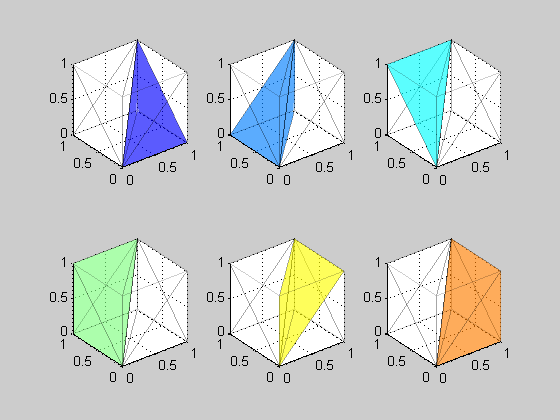
So, after investigation, I found the reason of those differences: Tetrahedral interpolation being used in 2.0 and Trilinear interpolation in 1.19. Tetrahedral was patented time ago, but now the patent has expired.
In fact, I did see such issue many years ago. On LUT elements being indexed by Lab colorspace, Tetrahedral does not work well. I suspect that's because Luma is uncentered (L is on one axis)
First thing to discard was a code bug. So I tried Max Derhak's SampleICC. To my astonishment, SampleICC is also using trilinear by default. Tried to modify Max code to do the interpolation as tetrahedral and... bingo! the same "bad" results as Little CMS. Up to four decimals. So here we go, the "bug" is in the interpolation algorithm. I checked PhotoShop CS4. It seems to be also using trilinear as well.
Now I have committed those changes to git. Note however, that your are not going to notice any difference but in very few profiles, and even in this case, maximum difference is about 2-3 digital counts (0.5 dE)
Little CMS releases have been historically dropped each 6 months, so 2.1 should come on October-November more or less. I have a talk on the ICC DevCon on November, so it would be nice to have 2.1 released to at that time.
Otherwise the git is alive and I'm periodically committing fixes to it. If you are using Little CMS code and don't have dependencies on linux distributions, I would recommend to use git code if possible.
One of those small glitches found is a weird error that was reported by a HP folk days ago. He was seeing
small differences on a CMYK profile when upgrading from 1.19 to 2.0
So, after investigation, I found the reason of those differences: Tetrahedral interpolation being used in 2.0 and Trilinear interpolation in 1.19. Tetrahedral was patented time ago, but now the patent has expired.
In fact, I did see such issue many years ago. On LUT elements being indexed by Lab colorspace, Tetrahedral does not work well. I suspect that's because Luma is uncentered (L is on one axis)
First thing to discard was a code bug. So I tried Max Derhak's SampleICC. To my astonishment, SampleICC is also using trilinear by default. Tried to modify Max code to do the interpolation as tetrahedral and... bingo! the same "bad" results as Little CMS. Up to four decimals. So here we go, the "bug" is in the interpolation algorithm. I checked PhotoShop CS4. It seems to be also using trilinear as well.
Now I have committed those changes to git. Note however, that your are not going to notice any difference but in very few profiles, and even in this case, maximum difference is about 2-3 digital counts (0.5 dE)
Wednesday, August 12, 2009
Back in black
I've been lately working hard in two black thingies. Namely, black point compensation and black preserving intents. Black preserving intents are worth of a post, and still there are some subtle bugs, so let's go fot the black point compensation first. BPC has been implemented in lcms for years. It works. So if ain't broken don't fix it. Well, not really. It seemed to me lcms2 would be a good chance to implement Adobe's BPC... oh, that's a nice story.
BPC is a sort of "poor man's" gamut mapping. It basically adjust contrast of images in a way that darkest tone of source device gets mapped to darkest tone of destination device. If you have an image that is adjusted to be displayed on a monitor, and want to print it on a large format printer, you should realize printer can render black significantly darker that the screen. So BPC can do the adjustment for you. It only makes sense on relative colorimetric intent. Perceptual and saturation does have an implicit BPC .
Works like magic but it is quite simple: just a plain linear scaling in XYZ space.
What turns out the real problem: It is easy to implement BPC as long as you can figure out what the black point is. The black point tag doesn't help. There is such quantity of bogus profiles that ICC has deprecated the tag in a recent addendum. It is up to the poor CMM to figure out what the black point is.
And it is a hard task tough. Ok, you may argue, just use the relative colorimetric in the input direction, feed RGB=(0, 0, 0) and ... wait, what about CMYK? Ok, CMY=(255, 255, 255,255)... Hum.. CMYK devices are ink limited, that is, the maximum amout of ink that a given paper can accept is limited (else ink will spread all over) so this doesn't work either. What lcms do, is to use perceptual intent to convert Lab of zero to CMYK and then this CMYK to Lab using rel. colorimetric. This works fine on all but some broken profiles. Well, Adobe's paper target those profiles.
The funny part is the complexity of Adobe's algorith. The perceptual trick is used as a seed on certain profiles, then black axis of a round-trip on L* is examined. If the difference is greater than 4, then a least-squares fitting of the curve to a quadratic curve should be done. The black point is the vertex.
In fact it is more complex as I'm ommiting constants depending on the intent and other gory details. Such complex. After the 6th time you read the paper, it begins to make sense.
But unfortunately it doesn't work to me. And unfortunately, it doesn't work for the ICC reference implementation CMM. We both get the same bad guess of L* = 625 for a given profile. And guess what? I've tried Photoshop CS4, and the reported black point does exactly match with my humble, perceptual to rel.col. algorith, so I will keep this one for a while.
BPC is a sort of "poor man's" gamut mapping. It basically adjust contrast of images in a way that darkest tone of source device gets mapped to darkest tone of destination device. If you have an image that is adjusted to be displayed on a monitor, and want to print it on a large format printer, you should realize printer can render black significantly darker that the screen. So BPC can do the adjustment for you. It only makes sense on relative colorimetric intent. Perceptual and saturation does have an implicit BPC .
Works like magic but it is quite simple: just a plain linear scaling in XYZ space.
What turns out the real problem: It is easy to implement BPC as long as you can figure out what the black point is. The black point tag doesn't help. There is such quantity of bogus profiles that ICC has deprecated the tag in a recent addendum. It is up to the poor CMM to figure out what the black point is.
And it is a hard task tough. Ok, you may argue, just use the relative colorimetric in the input direction, feed RGB=(0, 0, 0) and ... wait, what about CMYK? Ok, CMY=(255, 255, 255,255)... Hum.. CMYK devices are ink limited, that is, the maximum amout of ink that a given paper can accept is limited (else ink will spread all over) so this doesn't work either. What lcms do, is to use perceptual intent to convert Lab of zero to CMYK and then this CMYK to Lab using rel. colorimetric. This works fine on all but some broken profiles. Well, Adobe's paper target those profiles.
The funny part is the complexity of Adobe's algorith. The perceptual trick is used as a seed on certain profiles, then black axis of a round-trip on L* is examined. If the difference is greater than 4, then a least-squares fitting of the curve to a quadratic curve should be done. The black point is the vertex.
In fact it is more complex as I'm ommiting constants depending on the intent and other gory details. Such complex. After the 6th time you read the paper, it begins to make sense.
But unfortunately it doesn't work to me. And unfortunately, it doesn't work for the ICC reference implementation CMM. We both get the same bad guess of L* = 625 for a given profile. And guess what? I've tried Photoshop CS4, and the reported black point does exactly match with my humble, perceptual to rel.col. algorith, so I will keep this one for a while.
Saturday, August 1, 2009
Sleep your bugs
It hurts. Its a sort of burning... when you figure out where is the bug, you experience an urgent necessity of fixing it, NOW! Big mistake.
It is not clear if was Knuth or Hoare who coined the phrase:
It is indeed very true. I would like to add a humble corollary:
So, here is my advice: Sleep your bugs.
I am not talking about typos. You know, misspelling 'l' and '1' for example (nobody should use 'le0' as var name, '1e0' is still a valid number) or failing to include a range check (last time I forget to place an 'if' I got a Pwnie nomination)
I am talking about logic bugs. Something wrong with the algorithm or the true logic of the program. Adding inconsistent features is another example.
Sleep those kind of bugs. Take good note of them, and wait a day or two in fixing. Probably you will find a neat way to deal with the issue without changing those hundreds of lines. Maybe not, but even in this case the solution is worth of the wait.
In my case the bug was black point detection. lcms2 is now an unbounded CMM that operates on floats. So the black point detection code was using floating point to do the calculations. Yep, it seems a nice feature: far more precision, etc. On the other hand, inks on floating point are represented as %, so the effective range is 0..100%, that is how Photoshop and others do work and I thought it makes sense to keep the feature in lcms2 as well.
Put both features together and you have a nice logic bug: extra code is needed on BP detection to deal with different ranges.
If you happen to be a professional programmer, you surely realize that my advice of postpone bug fixing goes against the schedule, the program manager and the planner. Sure, but that's lcms2, my pet project which has unlimited resources on time. Would be a dream for a commercial project, but this project is not commercial and therefore is not subjected to schedule tyranny.
By the way, a new drop of lcms2 is in the way and will be available in a day or two.
It is not clear if was Knuth or Hoare who coined the phrase:
We should forget about small efficiencies, say about 97% of the time: premature optimization is the root of all evil.
It is indeed very true. I would like to add a humble corollary:
premature bugfixing is lame too.
So, here is my advice: Sleep your bugs.
I am not talking about typos. You know, misspelling 'l' and '1' for example (nobody should use 'le0' as var name, '1e0' is still a valid number) or failing to include a range check (last time I forget to place an 'if' I got a Pwnie nomination)
I am talking about logic bugs. Something wrong with the algorithm or the true logic of the program. Adding inconsistent features is another example.
Sleep those kind of bugs. Take good note of them, and wait a day or two in fixing. Probably you will find a neat way to deal with the issue without changing those hundreds of lines. Maybe not, but even in this case the solution is worth of the wait.
In my case the bug was black point detection. lcms2 is now an unbounded CMM that operates on floats. So the black point detection code was using floating point to do the calculations. Yep, it seems a nice feature: far more precision, etc. On the other hand, inks on floating point are represented as %, so the effective range is 0..100%, that is how Photoshop and others do work and I thought it makes sense to keep the feature in lcms2 as well.
Put both features together and you have a nice logic bug: extra code is needed on BP detection to deal with different ranges.
If you happen to be a professional programmer, you surely realize that my advice of postpone bug fixing goes against the schedule, the program manager and the planner. Sure, but that's lcms2, my pet project which has unlimited resources on time. Would be a dream for a commercial project, but this project is not commercial and therefore is not subjected to schedule tyranny.
By the way, a new drop of lcms2 is in the way and will be available in a day or two.
Wednesday, July 22, 2009
ZOO Doppelgänger and the Link feature
To some extent, old'n'good lcms allowed profile editing. That was a "dangerous" feature in the sense people may abuse of it to grab copyrighted material. That is, you may open your favourite profile to remove the copyright tag, and here you go. Obviously preventing that by the hard way is just like killing the messanger, so this feature is working in lcms and is up to you to use -or abuse- it.
But reviewing the previous entry about the zoo, I had a wild idea: if the zoo test reads every single tag, what if then I try to rewrite all those tags? that would create a Doppelgänger version of every profile in the zoo, but not necesarely with same organization and size.
The test code was written in few minutes, and after I run it, poor lcms2 get into hyperspace and crashed badly.
Ok, five bugs ahead, I got the writting/copying feature working. But this also has unveiled how profile vendors abuse of the link feature. That is, since a tag is described by some block in the file, I can put two or more different entries in the tag directory pointing to the same location. Humm.. I have to add some code to deal with this case.
But reviewing the previous entry about the zoo, I had a wild idea: if the zoo test reads every single tag, what if then I try to rewrite all those tags? that would create a Doppelgänger version of every profile in the zoo, but not necesarely with same organization and size.
The test code was written in few minutes, and after I run it, poor lcms2 get into hyperspace and crashed badly.
Ok, five bugs ahead, I got the writting/copying feature working. But this also has unveiled how profile vendors abuse of the link feature. That is, since a tag is described by some block in the file, I can put two or more different entries in the tag directory pointing to the same location. Humm.. I have to add some code to deal with this case.
Friday, July 17, 2009
Profile ZOO
The serialization part is now complete. That is, lcms2 should be able to read all tags it understands on all profiles in the wide world. Since it understands all tags that are, or have been part of any ICC spec, present or past, a lot of profiles should be readed by current code.
I have been lately worried about stability and qualification. If lcms2 want any success, it should be tolerant with ill-formed profiles. I say tolerant, not permissive, because crafted profiles may be used by the bad guys to introduce exploits. We don't want wargames again, right?
I have compiled along the +10 years of lcms life, a "Zoo" of profiles. This collection includes actually about 1500 assorted profiles, going from the widely distributed v2 sRGB to rare corner cases, like devicelinks holding 12-ink separations. Not to be very common.
Some of those profiles are broken. Well, not completely broken. They have slightly malformed tags, like colorants using a bad type, descriptions with wrong char count, bad sizes in the header...
To check how well lcms2 may deal with that, I wrote a small program that runs across every single profile in the Zoo and then reads every tag in the profile. The code should reject the unuseable tags and behave nicely if some information can be recovered. It cannot in anycase segfault or leak resources.
So, keeping my fingers crossed, I executed the program and ... almost! one segmentation fault. Ok, it was a bug, fixed. Run it again and .. success! no memory leaks, lots of tags discarded and a cool "all is ok" printf'd at the end. Pfew!
I have been lately worried about stability and qualification. If lcms2 want any success, it should be tolerant with ill-formed profiles. I say tolerant, not permissive, because crafted profiles may be used by the bad guys to introduce exploits. We don't want wargames again, right?
I have compiled along the +10 years of lcms life, a "Zoo" of profiles. This collection includes actually about 1500 assorted profiles, going from the widely distributed v2 sRGB to rare corner cases, like devicelinks holding 12-ink separations. Not to be very common.
Some of those profiles are broken. Well, not completely broken. They have slightly malformed tags, like colorants using a bad type, descriptions with wrong char count, bad sizes in the header...
To check how well lcms2 may deal with that, I wrote a small program that runs across every single profile in the Zoo and then reads every tag in the profile. The code should reject the unuseable tags and behave nicely if some information can be recovered. It cannot in anycase segfault or leak resources.
So, keeping my fingers crossed, I executed the program and ... almost! one segmentation fault. Ok, it was a bug, fixed. Run it again and .. success! no memory leaks, lots of tags discarded and a cool "all is ok" printf'd at the end. Pfew!
Monday, June 29, 2009
When/where to clip?
An interesting effect I've found, you can reproduce it with Photoshop CS4 as well. Set the working space as sRGB, intent relative colorimetric, no BPC. Then using color picker enter this Lab value:
0, -120, 0
As you can see, the obtained RGB values are 0, 0, 0. So far so good. Or not? Try this other Lab value:
0, 0, -120
Oops! now we got 0, 27, 182! What's happening? The answer, as far as I can tell, is clipping. If you take the work (I did) of implementing Lab -> XYZ and then XYZ -> sRGB by using entirely floating point formulas, the second value of 0, 0, -120 getting converted to some color with lots of L* is just a consequence of the math. From where it comes all this L*?
lcms does clip negative XYZ numbers, so in both you will obtain 0, 0, 0. What makes me wonder is why photoshop does clip one axis (a) and does not clip the other (b) in the same fashion?
Maybe is just clipping XYZ negative numbers? Ok. lcms2 gives 0, 48, 0 for a Lab of 0, 0, -120. This is the result of not clipping anything at middle stages and letting XYZ negative numbers as well. Clipping happens only on the last stage or when is absolutely required (indexing LUTs, for example). I guess more experimentation is needed in this part...
0, -120, 0
As you can see, the obtained RGB values are 0, 0, 0. So far so good. Or not? Try this other Lab value:
0, 0, -120
Oops! now we got 0, 27, 182! What's happening? The answer, as far as I can tell, is clipping. If you take the work (I did) of implementing Lab -> XYZ and then XYZ -> sRGB by using entirely floating point formulas, the second value of 0, 0, -120 getting converted to some color with lots of L* is just a consequence of the math. From where it comes all this L*?lcms does clip negative XYZ numbers, so in both you will obtain 0, 0, 0. What makes me wonder is why photoshop does clip one axis (a) and does not clip the other (b) in the same fashion?
Maybe is just clipping XYZ negative numbers? Ok. lcms2 gives 0, 48, 0 for a Lab of 0, 0, -120. This is the result of not clipping anything at middle stages and letting XYZ negative numbers as well. Clipping happens only on the last stage or when is absolutely required (indexing LUTs, for example). I guess more experimentation is needed in this part...
Subscribe to:
Posts (Atom)