Saturday, September 18, 2010

2.1 schedule

It has been a long time since I posted the first littlecms 2 release. To my astonishment it has been reasonably stable and reliable. Sure, there have been bugs, any software has bugs, that is a fact that software developers already knows very well. But I have not been forced to do a quick release due to a killer bug, so I am happy on how is going all that lcms2 stuff.

Since the old days of lcms1.0, a fresh release of the engine has been available each 6 months, more or less. So now it is time to prepare the coming of 2.1. I plan to do it on November-2010. Then, I am presenting a paper on CIC18 which relates with lcms2 and its unbounded mode, so the new release would be available at that time. This will be a maintenance release, with the addition of Delphi wrapper, the Matlab wrapper and some minor tweaks. BTW, this is already on the git, the release woould only qualify this code and mark it as in the "stable side".

If anybody is interested, I will be also giving a talk in ICC DevCon, this time about on how to build a minimal V2 compliant ICC engine. I will be glad to discuss any questions you have, or just have a beer with you!

Saturday, July 17, 2010

Delphi wrapper is here!

Now from Embarcadero. I didn't code in Delphi since five or more years ago. Found interesting changes, like the unicode thing (all strings in Delphi 10 are unicode).

Otherwise I got some fun creating the wrapper unit. It encapsulates *all* LittleCMS 2 API, so probably this is a great improvement for Delphi folks.

See here the DLL, the unit and a small demo.
http://www.littlecms.com/lcms2_delphi10.zip


The Delphi wrapper will be officially included in lcms distribution in version 2.1, which is scheduled for November 2010. But you can already use this (unsupported) unit.

Enjoy.

Saturday, June 26, 2010

Reusing same transform on different pixel types

I got this question twice, so here are some comments.

cmsChangeBuffersFormat() is gone in 2.0

There is a good reason to do that: optimization

When you create a transform, you supply the profiles and the expected buffer format. Then, the engine, on depending on things like number of channels and bit depth can choose to implement such transform in different ways.

 Let's take an example. If you create a AdobeRGB to  sRGB transform using TYPE_RGB_8 for both input and output, the engine can guess that the maximum precision you would require is 8 bits, and then simplify the curve and matrix handling to, for example 1.14 fixed point.

This precision is enough for 8 bits but not for 16 bits, so if you change the format after creating the transform to TYPE_RGB_16, you would end either with artifacts or throughput loss.

Remember lcms 2 allows you to close the profiles after creating the transform. This is very convenient feature but prevents to recalculate the transform by reading the profile again. And there are situations, MPE for example when different precision means different tags.

Overall I think the balancing of losing "change format" versus optimization and early profile closing is good. Otherwise you can always create a new transform for each format. Since you can close the profiles after creation, the amount of  allocated resources should remain low.

Saturday, May 29, 2010

Web color management

Please take a look to this small toy I've been working on:


What do you read? Ok, maybe you can read dark text as well, but I mean the brighter one.

If you have access to different web browsers, give a try to Internet explorer, Safari and Firefox for example.

I was suspicious about Firefox from a while ago, now that has confirmed my theory.  Oh, you can save the JPEG file and open it with photoshop to see the "good" result if you care. hint: Little CMS also works as expected.  I will go deeper on this stuff in incoming posts.


Saturday, May 22, 2010

Interpolation wars

15 days after the release, one issue in the packaging and some glitches on linkicc. Still no big bugs. At least the reported  ones are not such big to need a 2.1 release... yet.

Little CMS releases have been historically dropped each 6 months, so 2.1 should come on October-November more or less. I have a talk on the ICC DevCon on November, so it would be nice to have 2.1 released to at that time.

Otherwise the git is alive and I'm periodically committing  fixes to it. If you are using Little CMS code and don't have dependencies on linux distributions, I would recommend to use git code if possible.

One of those small glitches found is a weird error that was reported by a HP folk days ago. He was seeing
small differences on a CMYK profile when upgrading from 1.19 to 2.0

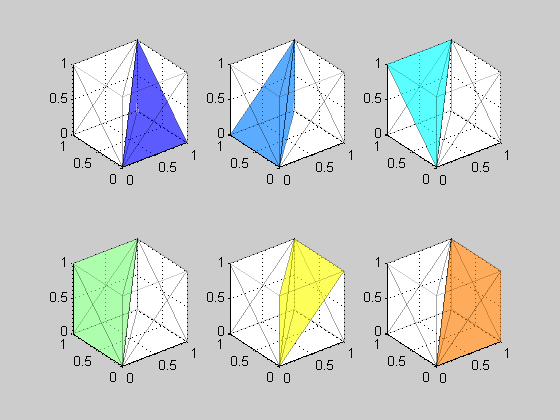
So, after investigation, I found the reason of those differences: Tetrahedral interpolation being used in 2.0 and Trilinear interpolation in 1.19. Tetrahedral was patented time ago, but now the patent has expired.

In fact, I did see such issue many years ago. On LUT elements being indexed by Lab colorspace, Tetrahedral does not work well. I suspect that's because Luma is uncentered (L is on one axis)

First thing to discard was a code bug. So I tried Max Derhak's SampleICC. To my astonishment, SampleICC is also using trilinear by default. Tried to modify Max code to do the interpolation as tetrahedral and... bingo! the same "bad" results as Little CMS. Up to four decimals. So here we go, the "bug" is in the interpolation algorithm. I checked PhotoShop CS4. It seems to be also using trilinear as well.

Now I have committed those changes to git. Note however, that your are not going to notice any difference but in very few profiles, and even in this case, maximum difference is about 2-3 digital counts (0.5 dE)

Saturday, May 8, 2010

 I am pleased to the announce the release 2.0 of the LittleCMS open source color engine.

 Version 2.0 is an important milestone, among other improvements, it delivers: 
  • Full implementation of the ICC standard 
  • Improved documentation 
  • Better portability 
  • Easier extensibility

Migration to 2.x branch is highly encouraged. 
 

Little CMS intends to be a small-footprint color management engine, with special focus on accuracy and performance. It uses the International Color Consortium standard (ICC), which is the modern standard when regarding to color management. The ICC specification is widely used and is referred to in many International and other de-facto standards.
 
For more information, please take a look on: 

Main site: 
http://www.littlecms.com/
Downloads:
http://www.littlecms.com/download.html


Tuesday, April 20, 2010

LittleCMS 2.0 release date

Beta 3 seems stable enough, so now I can set a final release date for lcms2.

LittleCMS 2.0 will hopefully be released on Saturday, May-8-2010

So, if you have found a bug, inconsistency, etc. Please let me know ASAP. Code is now frozen and I will start the final qualification phase. All change requests will be studied before commit, just to minimize risk.  Thanks again to all people that has contributed to this project!

Wednesday, April 7, 2010

Beta3 and release candidate

Here is beta3. We are almost done, so this is the release candidate.
  • All known bugs are fixed.
  • There are some improvements in CMYK interpolation, it is about 20% faster 
  • jpgicc can now apply devicelinks without chrashing
  • Matlab support is there!
Final release will follow in a month, so if you want to check the CMM in your application, now is a good time to do so. The code seems stable enough,  and you will catch small issues .

Thursday, March 4, 2010

Beta 2 is ready

Time for a new beta. First one was very successful and several important bugs were found and fixed.

Beta2 will focus on quality and documentation, and will rest for a month.

I will give frequent updates on the status of the beta. You can download it from the link on the right.

Monday, March 1, 2010

xput comparative 1.19 vs. 2.0


Here is the comparative for the code in git. I will publish beta2 in a couple of days. As you can see the xput improvements are considerable.


1.19
-----

16 bits on CLUT profiles                     : 10.6667 MPixel/sec.
8 bits on CLUT profiles                      : 9.75015 MPixel/sec.
8 bits on Matrix-Shaper profiles             : 3.8638 MPixel/sec.
8 bits on SAME Matrix-Shaper profiles        : 4.28495 MPixel/sec.
8 bits on Matrix-Shaper profiles (AbsCol)    : 10.4507 MPixel/sec.
16 bits on Matrix-Shaper profiles            : 3.92349 MPixel/sec.
16 bits on SAME Matrix-Shaper profiles       : 3.96924 MPixel/sec.
16 bits on Matrix-Shaper profiles (AbsCol)   : 10.6667 MPixel/sec.
8 bits on curves                             : 4.33839 MPixel/sec.
16 bits on curves                            : 4.3944 MPixel/sec.
8 bits on CMYK profiles                      : 4.09626 MPixel/sec.
16 bits on CMYK profiles                     : 3.96924 MPixel/sec.
8 bits on gray-to-gray                       : 24.3902 MPixel/sec.
8 bits on SAME gray-to-gray                  : 24.3902 MPixel/sec.


2.0
----

16 bits on CLUT profiles                     : 10.1394 MPixel/sec.
8 bits on CLUT profiles                      : 10.6667 MPixel/sec.
8 bits on Matrix-Shaper profiles             : 26.2726 MPixel/sec.
8 bits on SAME Matrix-Shaper profiles        : 30.1318 MPixel/sec.
8 bits on Matrix-Shaper profiles (AbsCol)    : 10.5541 MPixel/sec.
16 bits on Matrix-Shaper profiles            : 10.2433 MPixel/sec.
16 bits on SAME Matrix-Shaper profiles       : 9.84615 MPixel/sec.
16 bits on Matrix-Shaper profiles (AbsCol)   : 10.6667 MPixel/sec.
8 bits on curves                             : 30.0752 MPixel/sec.
16 bits on curves                            : 35.3201 MPixel/sec.
8 bits on CMYK profiles                      : 4.19727 MPixel/sec.
16 bits on CMYK profiles                     : 4.26667 MPixel/sec.
8 bits on gray-to-gray                       : 40.9207 MPixel/sec.
8 bits on SAME gray-to-gray                  : 40.9207 MPixel/sec.
8 bits on CMYK profiles                      : 4.3573 MPixel/sec.
16 bits on CMYK profiles                     : 4.55192 MPixel/sec.
8 bits on gray-to-gray                       : 39.312 MPixel/sec.
8 bits on SAME gray-to-gray                  : 40.9207 MPixel/sec.

Monday, February 15, 2010

Speed measurements

Here are some performance numbers, measured on my laptop. This is a pretty old compaq nc6400, Dual core T2300E (1.66GHZ) so it should rock in a modern machines. Note how fast transforms go when both profiles are implemented as matrix shaper. The measurements are using the code on git.

16 bits on CLUT profiles.. 5.95238 Mpixel/sec.
8 bits on CLUT profiles...10.5541 Mpixels/sec.
8 bits on Matrix-Shaper profiles..27.6817 Mpixels/sec.
8 bits on SAME Matrix-Shaper profiles...36.5297 Mpixels/sec.
8 bits on curves... 29.2505 Mpixels/sec.
8 bits on Matrix-Shaper profiles (AbsCol)...27.6817 Mpixels/sec.
16 bits on curves... 37.9147 Mpixel/sec.
8 bits on CMYK profiles... 8.90373 Mpixels/sec.
16 bits on CMYK profiles...4.45186 Mpixel/sec.
8 bits on gray-to-gray conversions.. 32.9897 Mpixels/sec.
8 bits on same gray-to-gray conversions ...39.312 Mpixels/sec.

Sunday, February 14, 2010

Fixes on github

Ok, that seems to be working. I have received a couple of bug reports. Very helpful .There are now two nasty bugs less in the code base. Gray profiles were broken. That didn't work at all. I wonder how that passed the regression tests... ok, there was no regression tests for gray profiles. Now that is fixed as well. I still have to review documentation for some typos, but I think this can wait.

The latest (fixed) code is in the git. Or you can wait for beta2, which will be available on March.


http://github.com/mm2/Little-CMS